Introducing mentions, redesigned search and smarter monitoring feeds
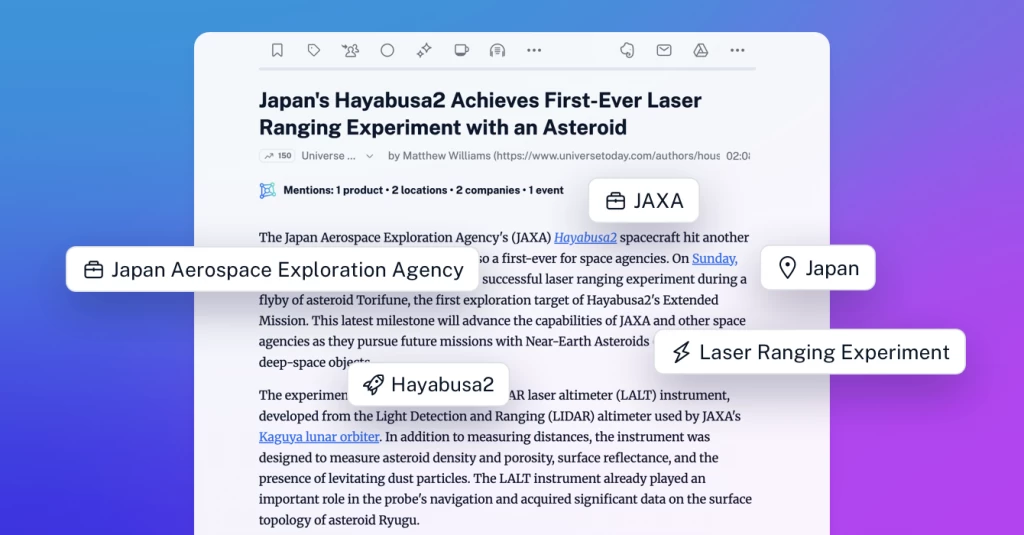
Keeping track of companies, products, places, and public figures is now easier with mentions – a new Inoreader Intelligence feature that identifies real-world entities in articles and connects them to powerful discovery, search, filtering, and monitoring tools.
Along with mentions, we’ve redesigned article search and the way you create monitoring feeds. Together, these updates make it easier to find relevant coverage, build precise queries, and follow developing stories across your own sources and the wider web.
What are mentions?
Mentions are companies, products, places, and public figures identified in the articles you read. Unlike ordinary keywords, they represent distinct entities, providing clearer context about who or what an article is about.
For example, a keyword search for “Apple” may return results about both the technology company and the fruit. Selecting Apple as a mention focuses the search on the company, delivering more relevant results with less noise.
Mentions work best with content in English, French, and German. They are generated for articles from feeds that meet certain criteria, such as being followed by Pro users or having a sufficiently large audience.
Explore mentions in articles
Open an article, and you’ll see a Mentions line at the top with a summary of the entities found, grouped by type. Select See all to expand the list or Show less to collapse it again.
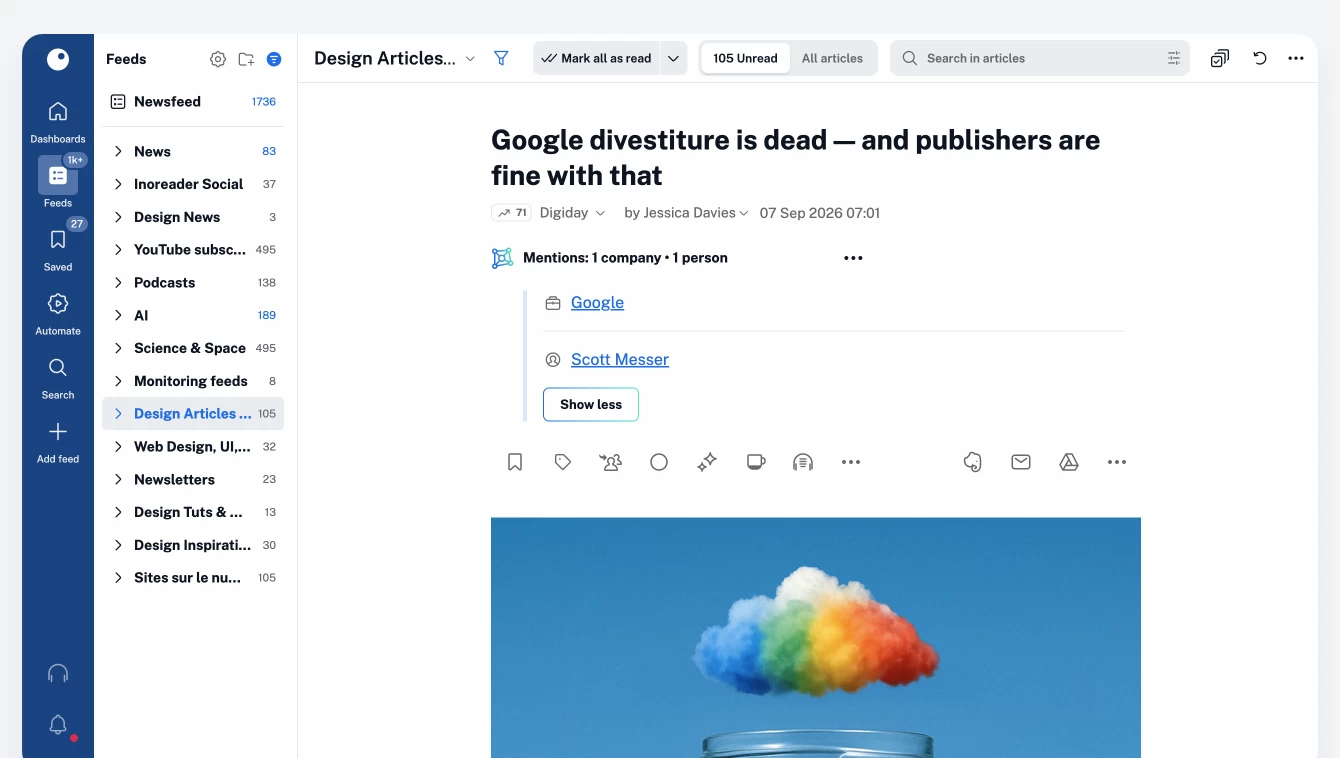
Prefer a cleaner reading view? You can move mentions to the bottom or hide them altogether from the article settings.
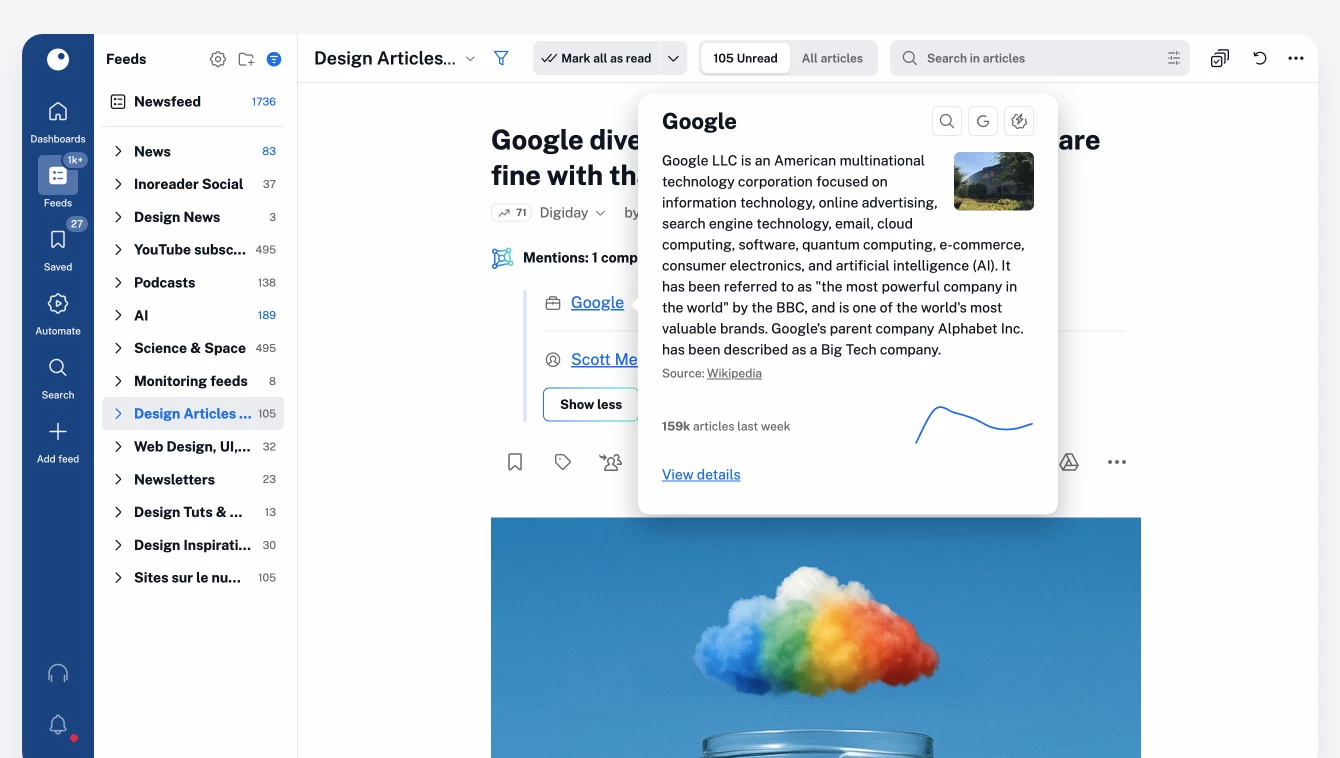
Hover over a mention to see a quick overview. From there, you can search for it in Inoreader, look it up on Google, create a rule based on it, or open its dedicated details page.
See the bigger picture with mention details
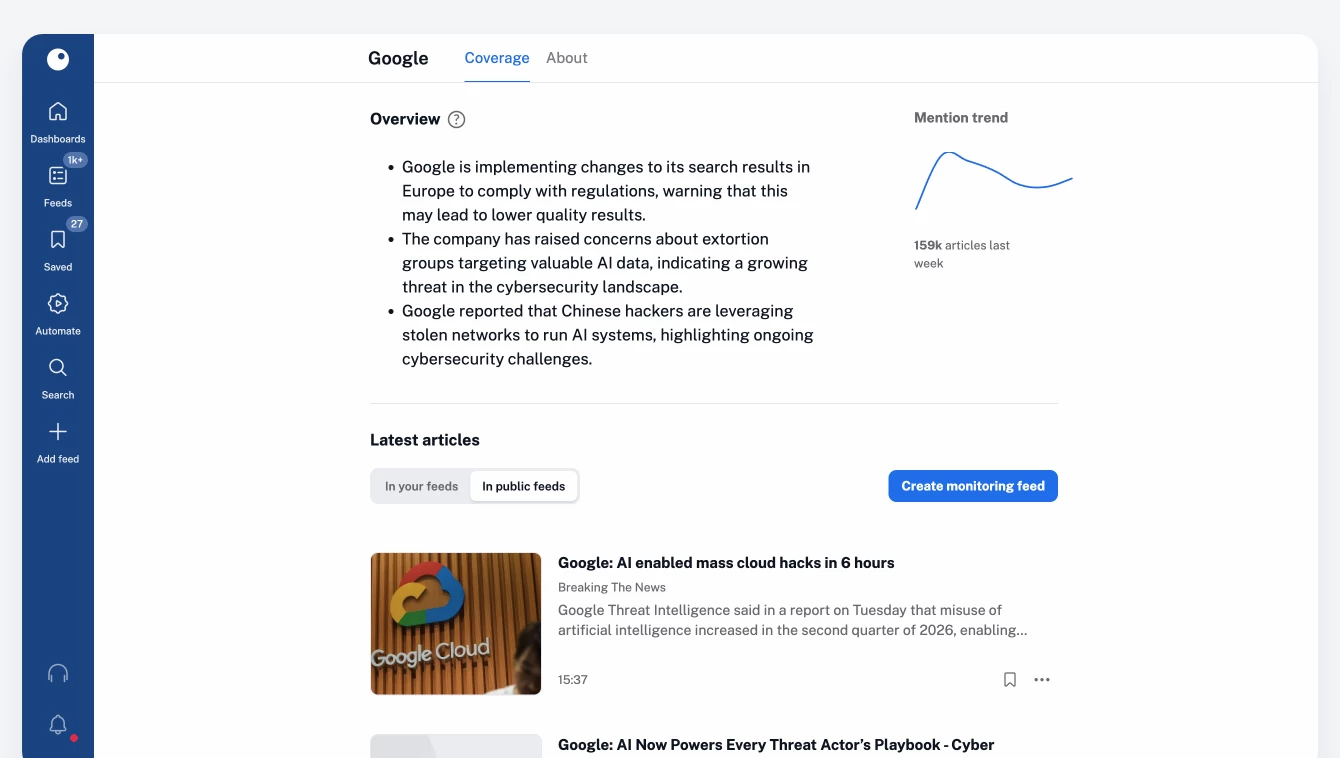
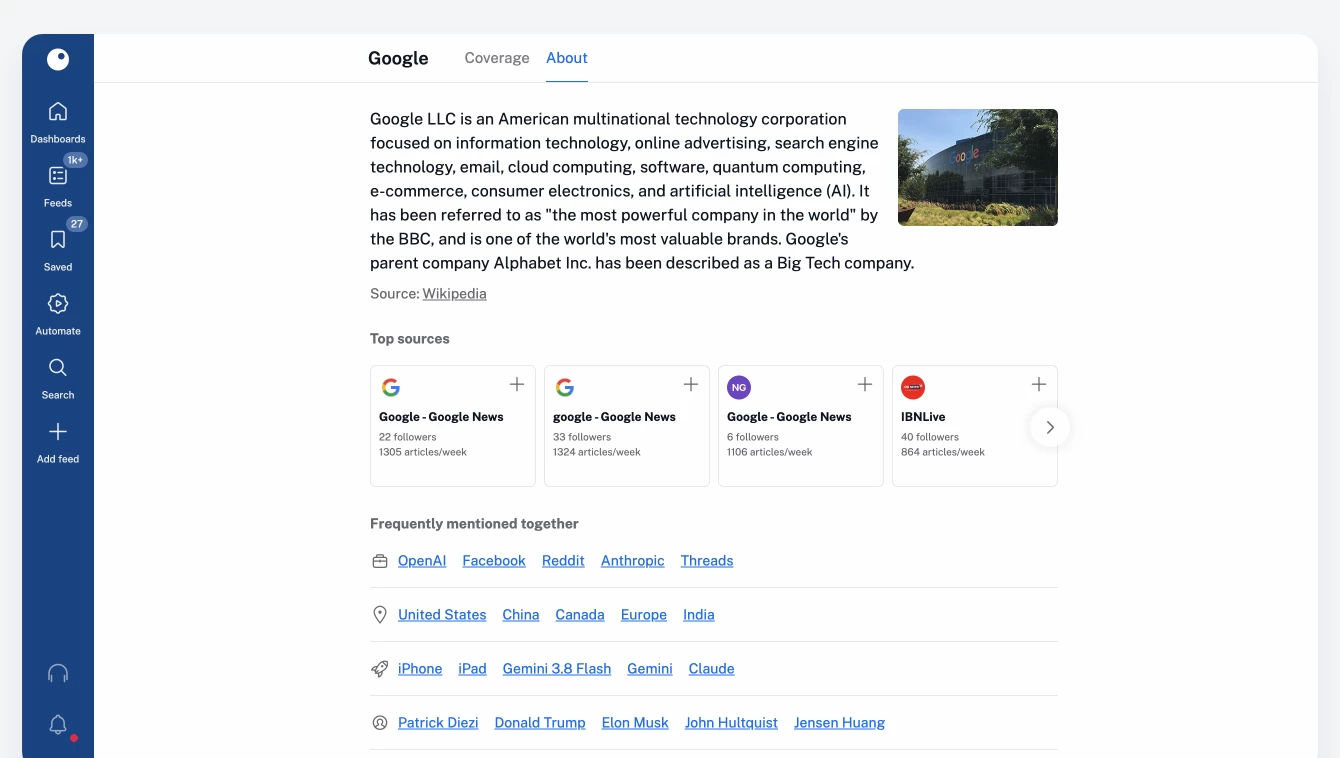
Select View details to open a dedicated page for the mention, organized into two tabs: Coverage and About.
The Coverage tab shows how the entity is being covered, including its mention trend and the latest matching articles from your account and all public feeds. Want to keep following the story? Create a monitoring feed directly from the page, and new matching articles will appear in your account as they’re published.
The About tab provides a concise overview of the entity, highlights leading sources covering it, and surfaces other mentions that frequently appear alongside it. You can follow any relevant source without leaving the page.
Create more precise rules and filters
Mentions are also available as conditions in rules and filters. This lets you automate workflows or refine your feeds based on a particular company, product, place, or person instead of relying solely on exact keyword matches.
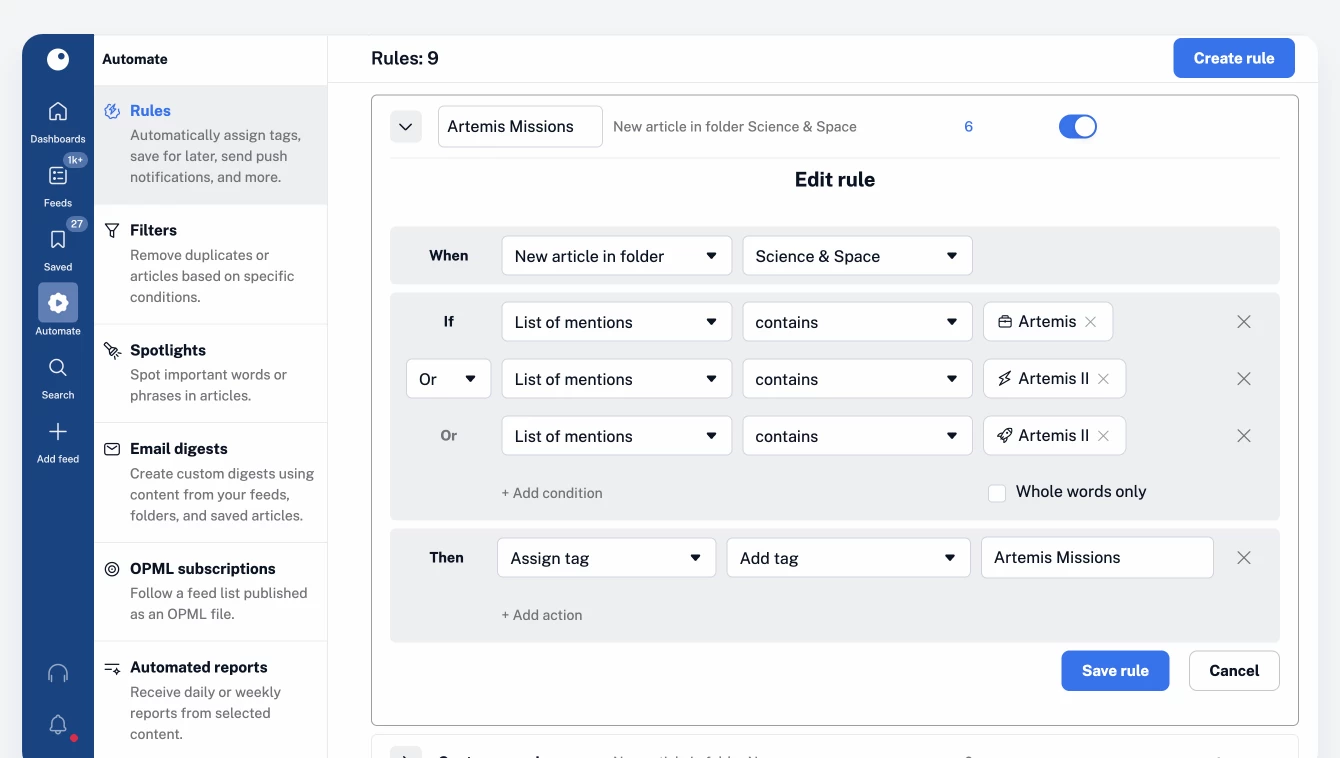
Because mentions distinguish between real-world entities and words with multiple meanings, they can reduce irrelevant matches and give you greater control over what stays in your feeds and what gets filtered out.
Build monitoring feeds with a new guided flow
We’ve redesigned the monitoring feed creation experience to make complex searches easier to build and understand.
Go to Add feed > Monitoring feed, then start typing a keyword, person, company, event, or topic. As you type, Inoreader will suggest ways to add your term as a keyword or, when a matching entity is available, as a mention.
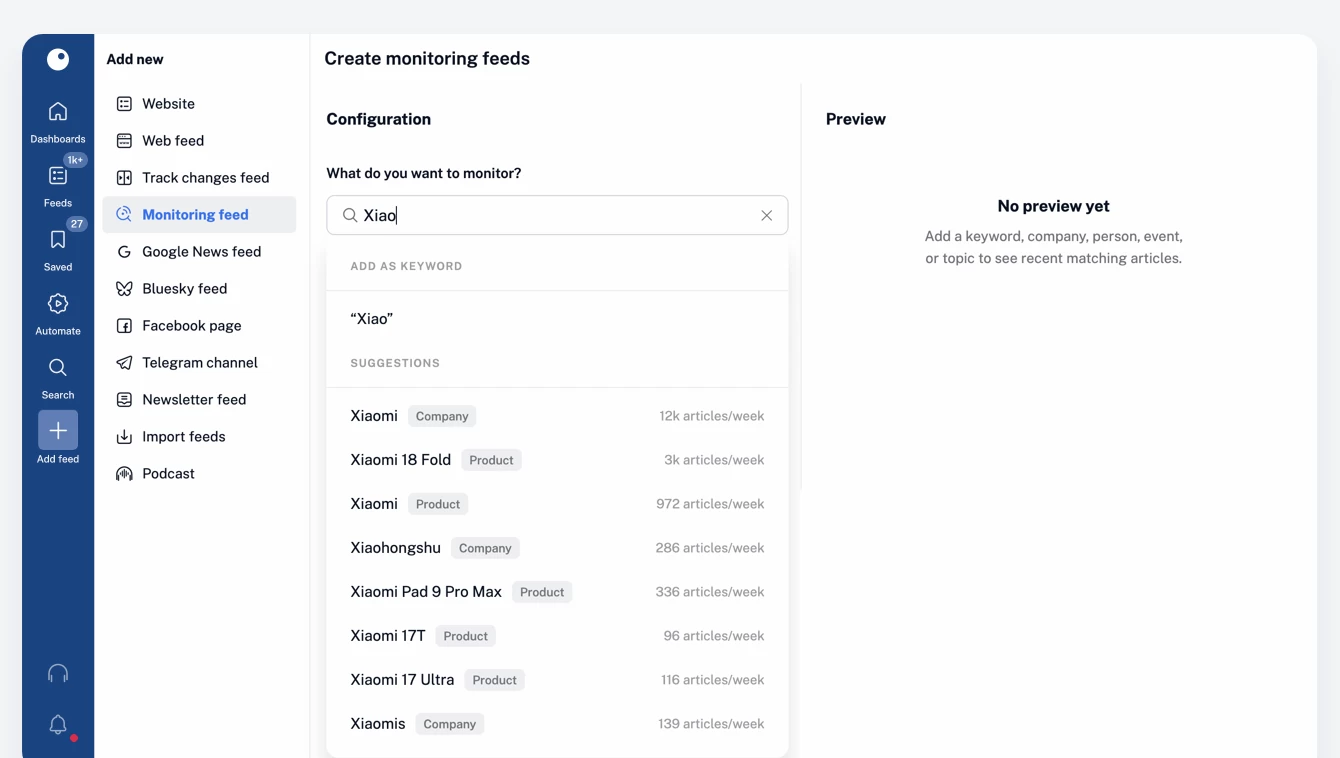
Choosing a mention can produce more precise results than using a keyword alone because it focuses the search on the entity itself and excludes unrelated uses of the same word.
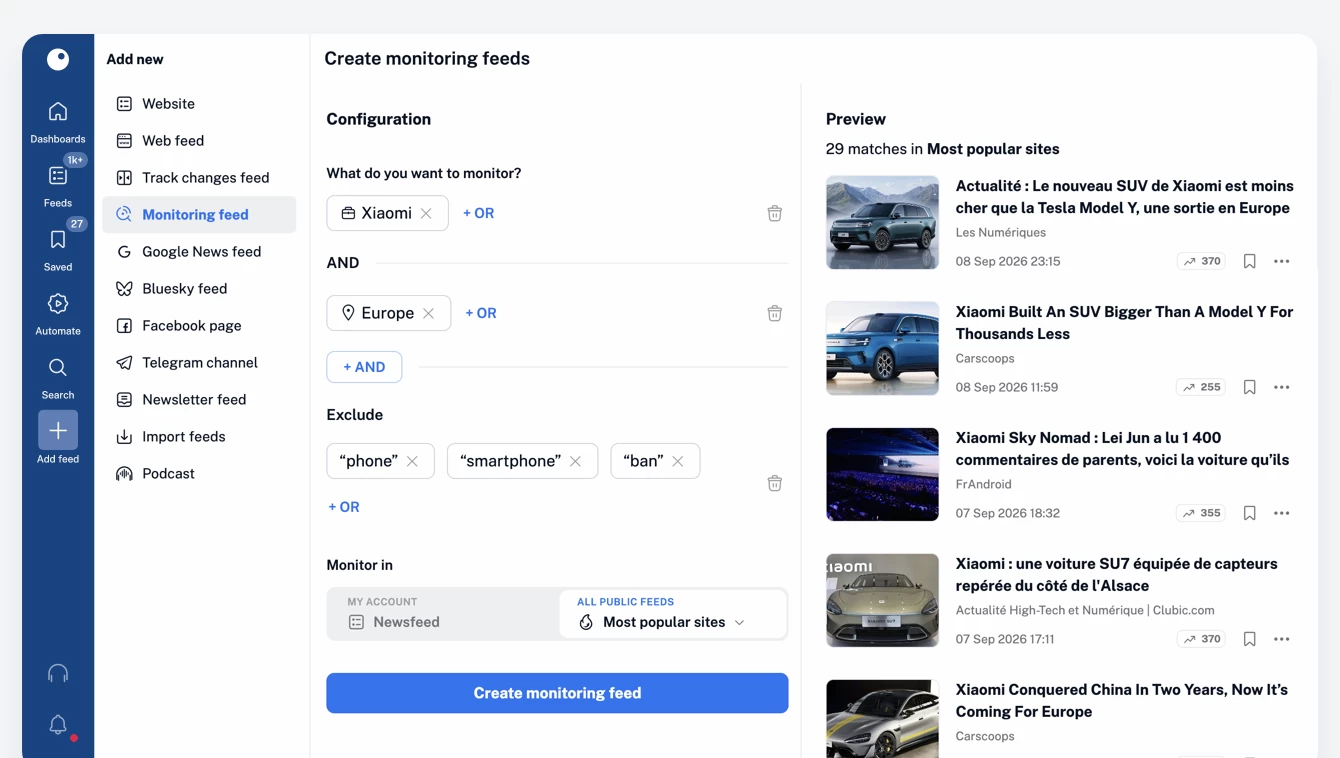
Continue adding terms to build your query, then choose where to search: across content in your account or all public feeds available in Inoreader. You’ll see a live preview of matching articles before saving anything. Once you’re happy with the results, select Create monitoring feed to start following new coverage directly in your account.
A clearer, more intuitive search experience
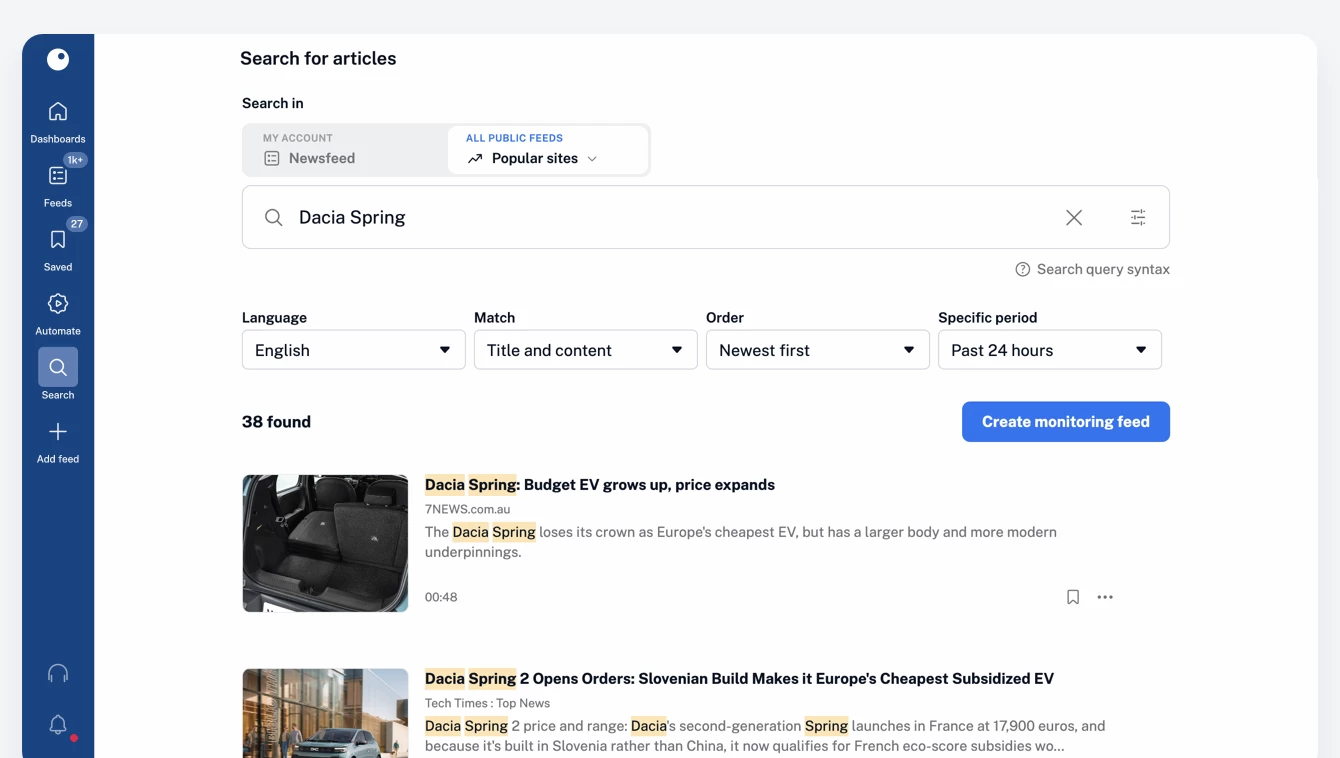
Article search has also been redesigned with a cleaner interface and the same flexible query-building experience. Search across your Newsfeed, feeds, folders, tags, saved items, annotations, uploads, and Intelligence reports, or explore all public feeds to discover coverage beyond the sources you already follow.
Follow what matters with greater precision
Mentions add a new layer of context to content in Inoreader. They help you understand who and what an article covers, discover related sources and entities, create smarter rules and filters, and build focused monitoring feeds with less noise.
Mentions are available to all Pro users as part of Inoreader Intelligence. Try them today and turn the companies, products, places, and public figures that matter to you into continuously updated sources of insight.