Introducing shared feature pools for Inoreader Teams

We’re rolling out a major update to Inoreader Teams, making collaboration more flexible and easier to manage. Instead of individual feature limits for each member, Teams now use shared feature pools across all plans.
This means your Team now works from a single, shared quota for key features, giving you better visibility, more control, and a smoother overall experience.
One Team, shared resources
Until now, feature limits were distributed per user. With this update, they’re pooled at the Team level, so everyone draws from the same shared resources.
This means you can:
- Use features more efficiently across your Team
- Avoid fragmented limits between members
- Get clearer visibility into usage and availability
Flexible Team plans
With shared feature pools, each plan now comes with clearly defined limits that apply across the entire Team. For a full breakdown of features and limits, visit our pricing page.
All plans include access to Inoreader Intelligence as an option, so you can enhance your workflows with AI-powered features regardless of your Team size.
More control over shared content
We’re adding a new Feeds section under Manage Team > Content, designed to give you better oversight of your shared sources.
From there, admins can:
- Monitor and manage Team feeds in one place
- Keep shared content organized and up to date
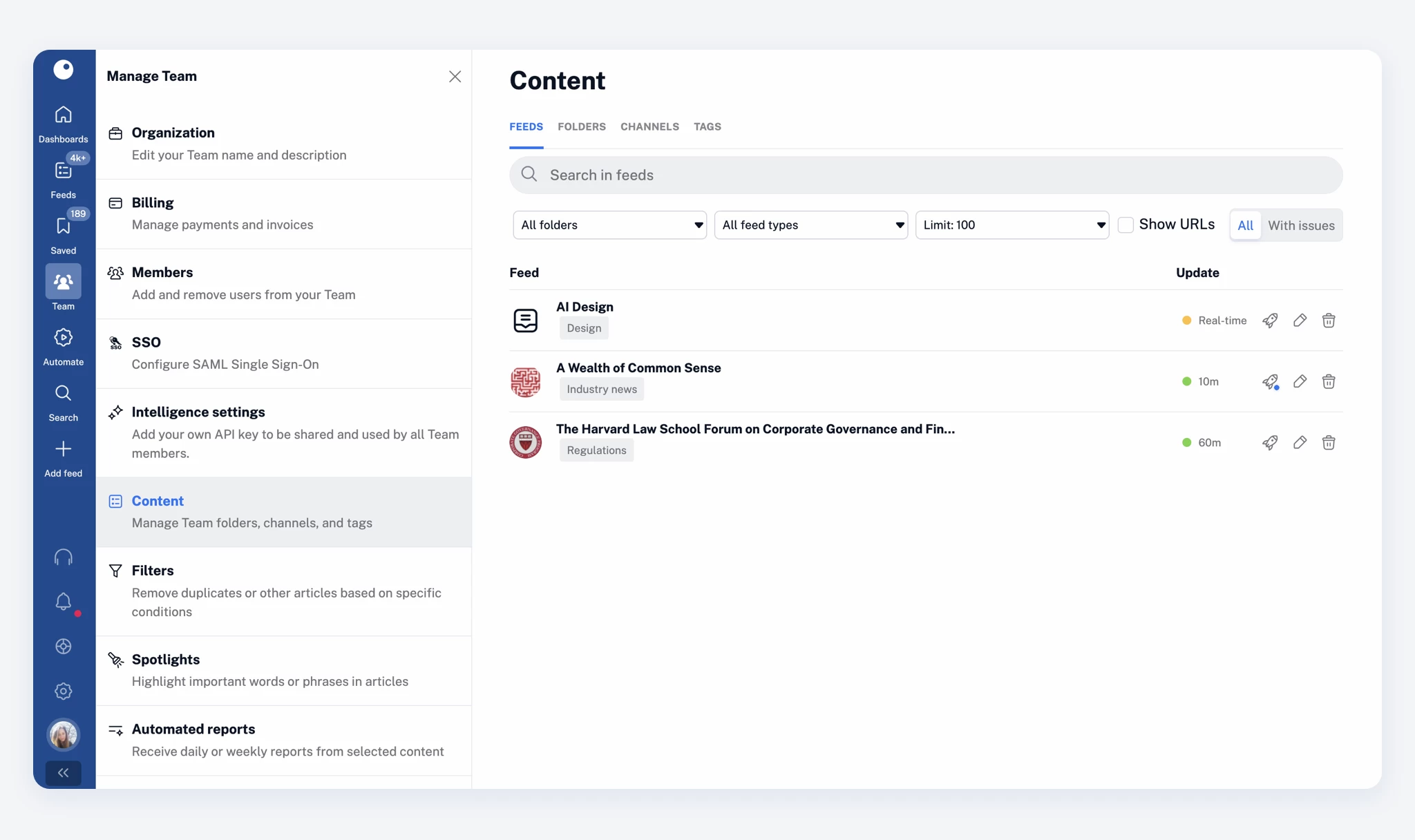
Team members can:
- View all feeds included in Team folders
- See what content is shared across the Team
Automated reports for Team Intelligence members
As part of this update, Team Intelligence members can now create and schedule automated reports.
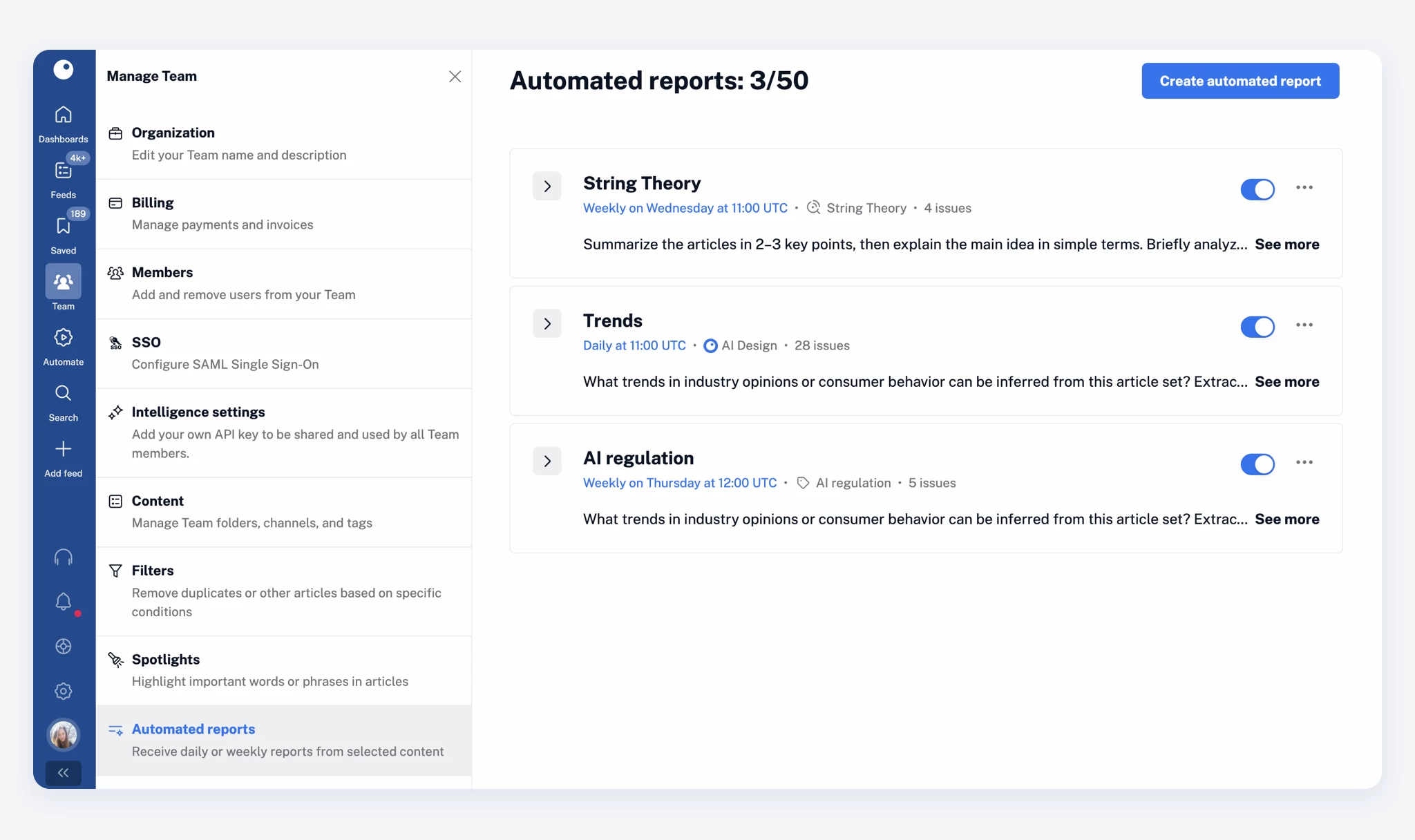
This allows them to:
- Generate insights from selected sources on a daily or weekly basis
- Automatically share reports across their Team
- Keep everyone aligned with minimal manual effort
If you haven’t explored this feature yet, you can learn more in our dedicated post.
Transition options for existing Teams
If your Team was created before this update, you can choose what works best for you:
- Switch to the new shared pool model by contacting us
- Stay on your current setup if you prefer your existing structure
Need a custom solution?
If your Team requires a setup beyond our standard plans, we’re here to help. Get in touch with us, and we’ll work with you to find the best option for your needs.