Where can I check my Intelligence access and usage?
Go to Preferences > Billing and usage > Usage. The Intelligence tokens row shows this month's tokens used against your limit, for example 12k/1M, and it starts again on the 1st. Your plan is shown under the avatar at the bottom of the tab bar, and the platform and model you use are under Preferences > Intelligence > Platforms.
Check your token usage
- Click the gear in the tab bar and open Billing and usage.
- Open the Usage tab.
- Find Intelligence tokens. Type "Intelligence" in the search box to filter the rows.
The label names the month, for example Intelligence tokens (Nov). Over 80% the bar warns that you're close to your plan's limit, and at 100% that you've reached it. Increase limits on the same tab opens the add-ons, which Can I buy additional Intelligence tokens? explains.
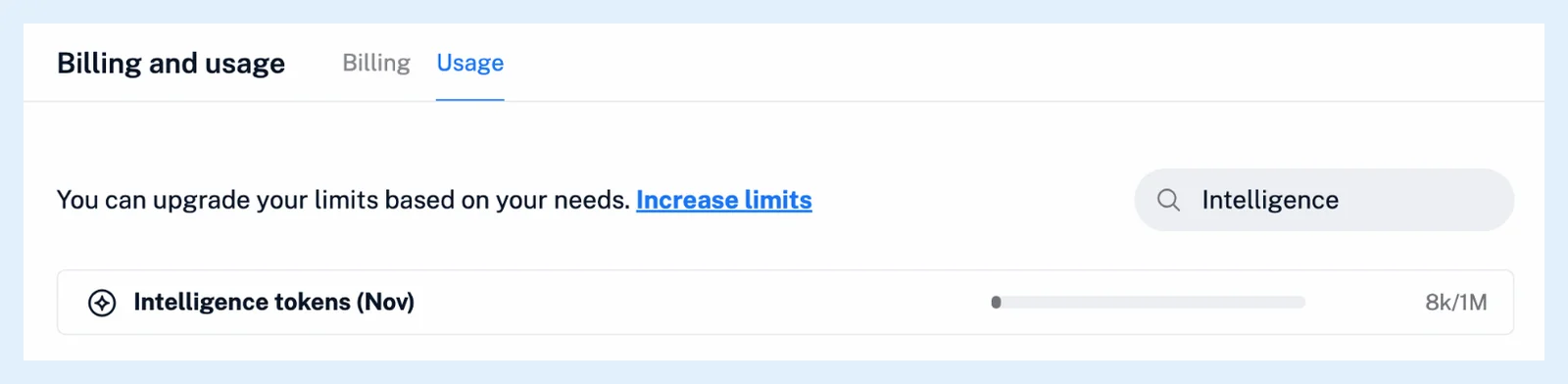
The row counts tokens from article summaries and questions, rules that summarize, AI summaries in email digests, Intelligence reports and podcast and video enhancements. Suggested tags and translations aren't in it. How many Intelligence tokens are included in the Pro plan? explains the allowance and what happens when you run low.
Check your plan and platform
Click the avatar at the bottom of the tab bar. The profile panel shows your plan, for example "Pro until Nov 28, 2026", and the Billing tab lists it under Active plan. Free and Supporter have no Intelligence tokens and no Intelligence features. Pro includes 1M tokens a month with summaries, mentions, podcast and video enhancements, suggested tags and a choice of platform. Intelligence reports and your own API key come with the Intelligence reports add-on or Team Intelligence.
Under Preferences > Intelligence > Platforms, the selected card is your platform and the line under its name is the model. Pro accounts without the reports add-on see Purchase add-on there, and Free and Supporter see Upgrade now.
Usage in a Team
On a team with a shared pool, the Usage tab says your account is part of the team and uses its shared limits, and View Team usage opens the team's Usage page, where each row expands to show every member's usage. How do Intelligence limits work in Teams? has the details, and Can I increase the limit on a specific feature? covers add-ons in general.
Can't find an answer? Contact support