Can I follow podcasts in Inoreader?
Yes, on every plan. Click Add feed in the tab bar, choose Podcast, search for the show by its title or paste its feed address, and click Follow. Each new episode then arrives as an article with a player.
Follow a podcast
- Click Add feed in the tab bar.
- Choose Podcast in the Add new list.
- Type the show's title in the search box, or paste the podcast's feed address, and press Enter.
- Click Follow next to the show.
- To file the new feed in a folder, right-click it in the sidebar and choose Add to folder.
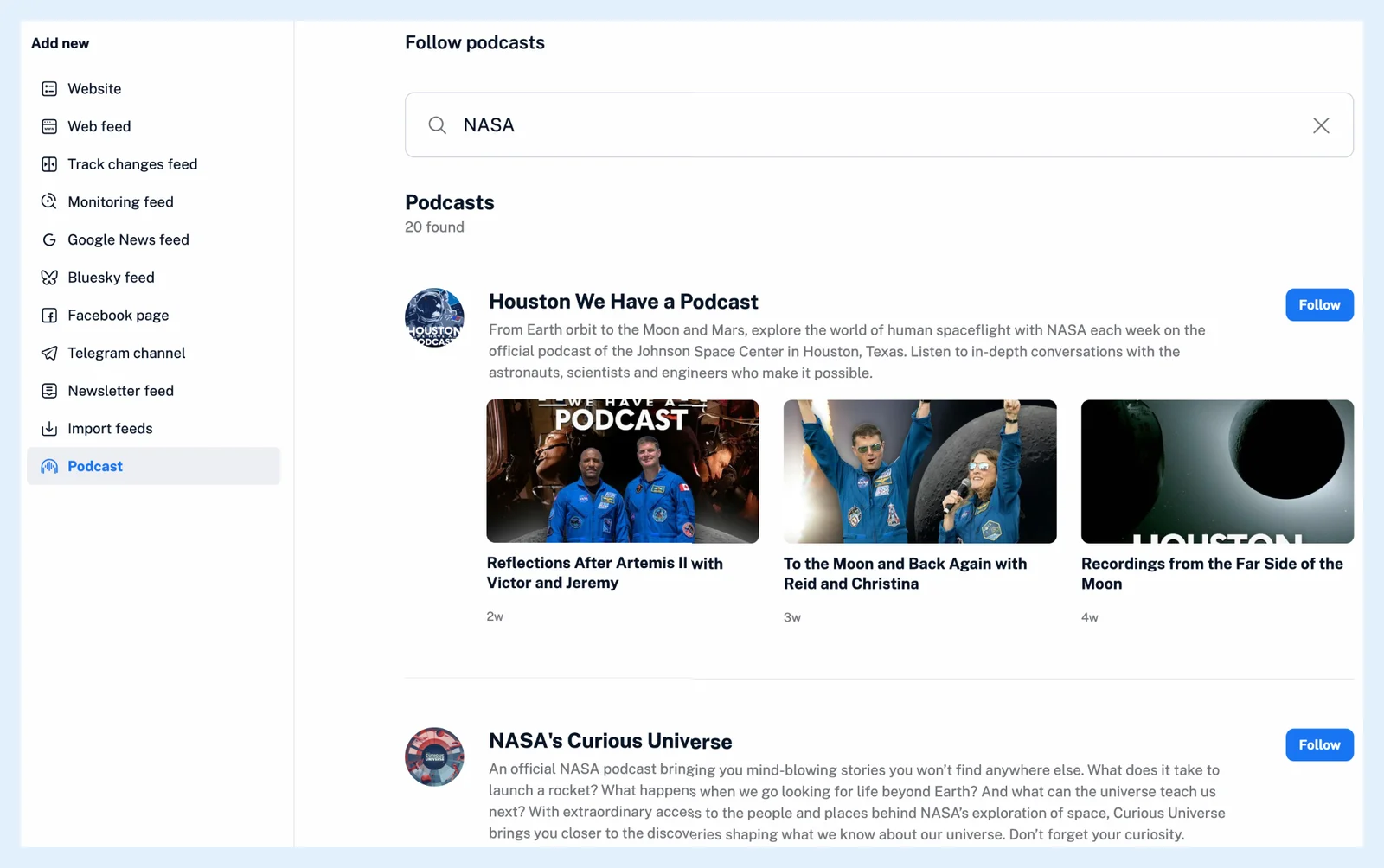
The search matches podcast titles, similar ones included, and a pasted address is looked up as a podcast's feed address. Each result shows the show's artwork, its description and a preview of its latest episodes. A show you already follow shows Edit instead of Follow. When the search finds nothing, check the spelling or paste the feed's address. A podcast is an ordinary feed, so a feed address the directory doesn't know can also be added under Add feed > Website, as for any other feed.
Listen to an episode
When an episode comes with an audio file, a player appears above the show notes with play and pause, 10-second jumps back and forward, a seek bar, a Speed menu from 0.25x to 2x, a download icon and an icon that adds the episode to the playlist of the Audio player in the tab bar. That player keeps playing while you move on to other feeds and articles. When you open an episode again, its player starts at the point where you stopped, without playing, and an episode you saved to Read later shows the time left in that list. What can I do with the audio player? describes it, and Can I listen to articles and podcasts together? explains how episodes and articles read aloud share one playlist.
Below the player, the tabs Description, Transcript, Topics and Article hold the show notes and, with Pro, a transcript, the topics discussed and an article written from the episode. See What are podcast and video enhancements?
Plans and limits
Following podcasts and listening work on every plan, and each show counts toward your feed limit: 150 feeds on Free, 500 on Supporter, 2,500 on Pro. Transcripts, topics and episode articles are Pro. Listen to podcasts in your RSS reader has the overview, and the audio player was introduced in Listen to your favorite podcasts with our new audio player.
Can't find an answer? Contact support