How do I change my email or password?
Both are in Preferences > Account > Profile. Type the new address in Email and click Save changes, and we email the new address a link to verify it. For the password, click Change password, enter your current password and the new one twice, and click Change password again.
Change your email
- Click the gear at the bottom of the tab bar, or press Alt + P, and open Account > Profile.
- Replace the address in Email and click Save changes.
- Open the email "Verify your Inoreader account email" at the new address and click its link.
The new address is in use as soon as you save, and the receipts of a paid plan go to it too. Until you click the link, the Profile tab says "You haven't confirmed your email address yet." with a Verify now button that sends the email again. You can change the address up to three times an hour. If the email doesn't arrive, the causes are the same as in Why am I not receiving the password reset email?.
Change your password
- On the same tab, click Change password in the Password block.
- Fill in Current password, New password and Confirm new password, with at least 6 characters.
- Tick Sign out on all devices to sign out every other browser, the mobile apps and the apps that use your account through the API. The browser you're in stays signed in.
- Click Change password.
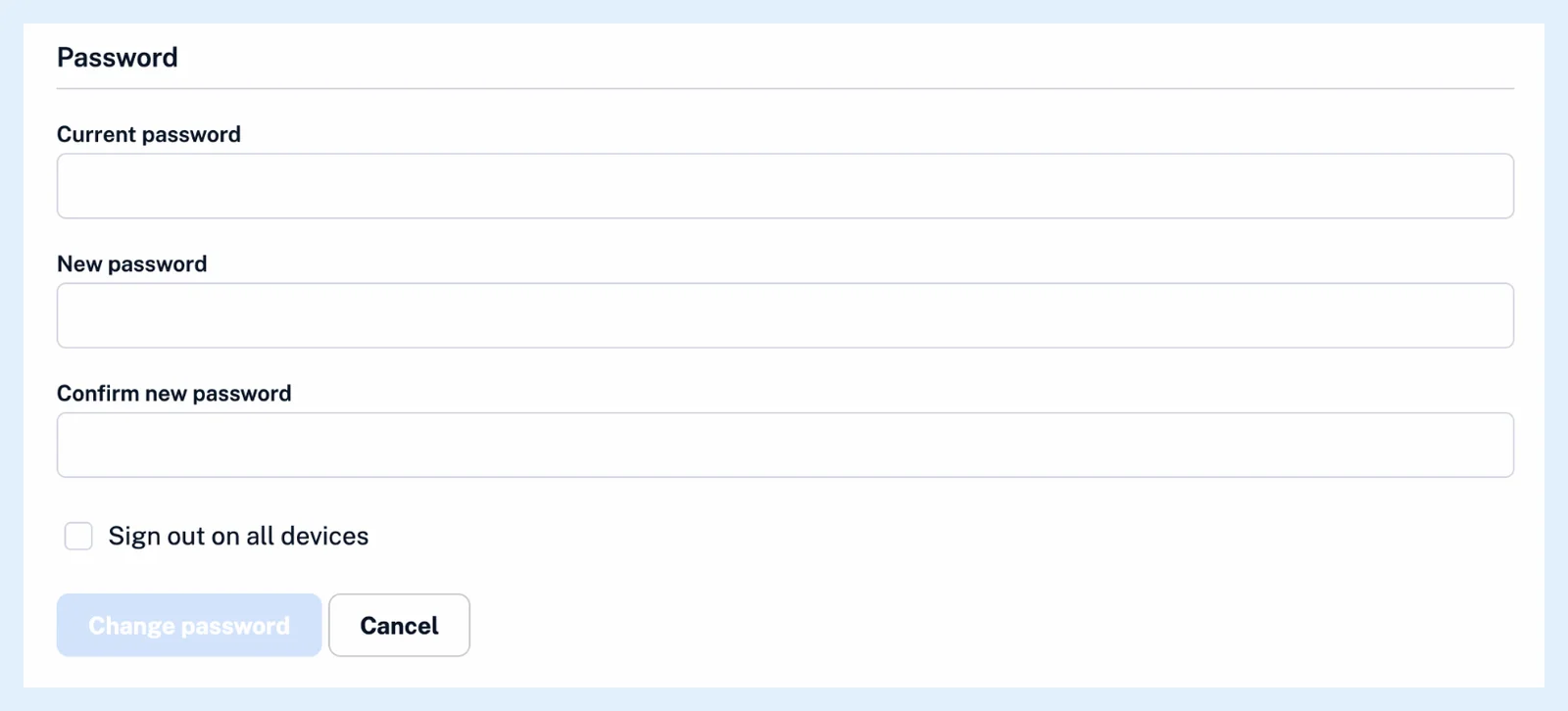
Inoreader confirms the change, and any reset link you requested before stops working.
Set a password after signing up with Google or Apple
An account created with Google or Apple gets a random password at sign-up, so you don't know a current password to type. Sign out, click Forgot password? on the sign-in page, enter your email and follow the link in the reset email, which is valid for one hour.
You can also sign in without a password: with Google or Apple, with Corporate login when your Team uses SSO, or with a passkey from Passkeys on the Profile tab.
How do I set up a passkey? and How do I log in with SSO? explain those two, and Where can I manage my account settings? walks through the rest of the tab.
Changing your email or password works the same on every plan.
Can't find an answer? Contact support