Can I customize the interface with my own CSS?
Yes. Under Preferences > Settings > Power user settings, tick Custom CSS, write your rules in the box and click Save, then refresh the browser. The stylesheet is saved to your account and applies to the web app.
Add your own CSS
- Click the gear at the bottom of the tab bar to open Preferences, then Settings.
- Open the Power user settings tab and scroll to Custom CSS.
- Tick Custom CSS and type or paste your rules in the box. The Tab key inserts a tab character.
- Click Save, then refresh the browser tab.
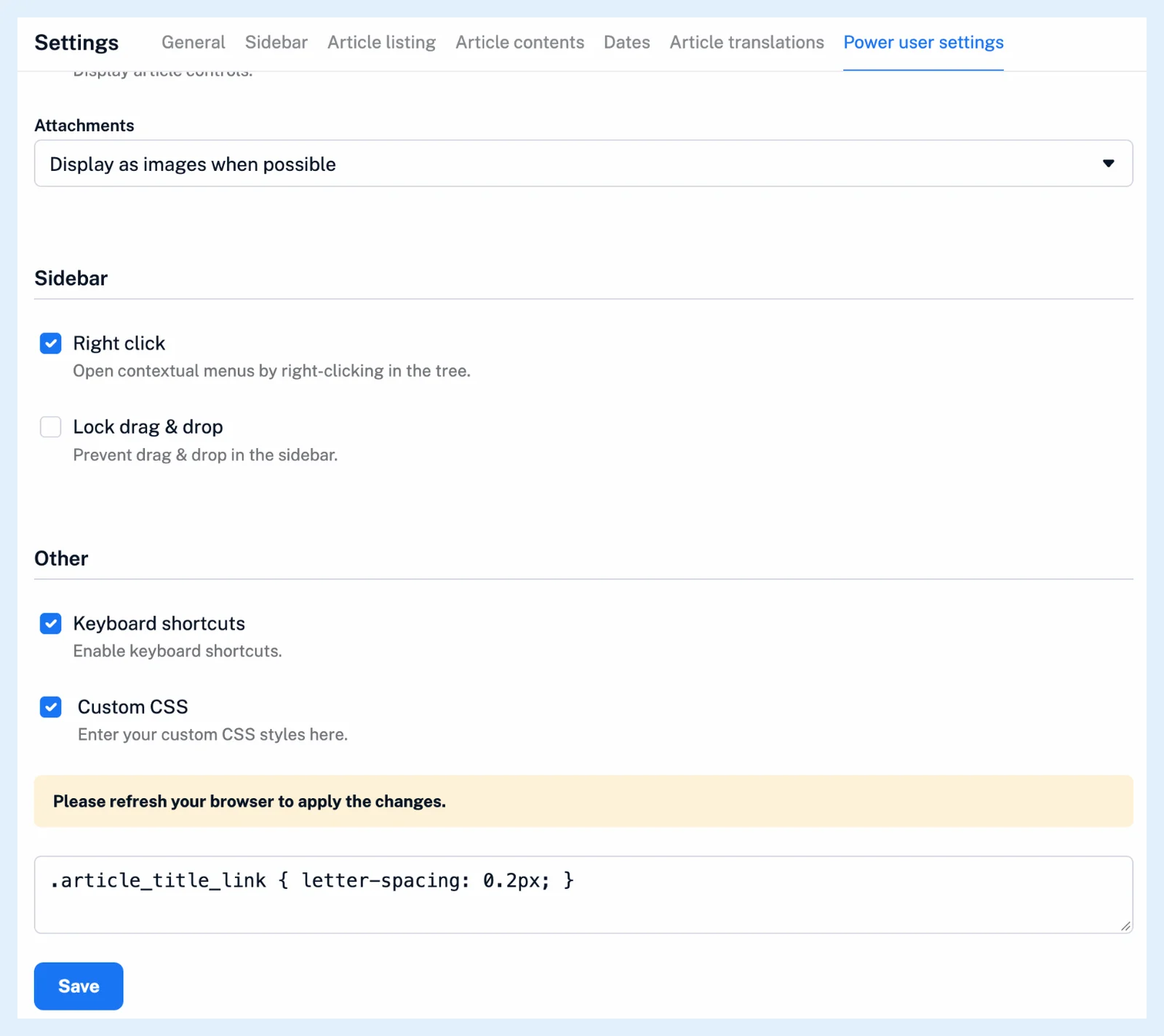
Save stores the rules and the state of the checkbox together and confirms with "Please refresh your browser to apply the changes." HTML tags are removed from what you save, and saving an empty box deletes your stylesheet.
Switch it off or recover
To switch it off, untick Custom CSS and click Save. Your rules stay in the box for next time. If a rule makes the page unusable, open inoreader.com/?safe_mode=1 to load Inoreader without your stylesheet, then fix the rules there.
Where it applies
The stylesheet is saved to your account, so it follows you to every browser where you use the web app. The iOS and Android apps have their own appearance settings. Many changes need no CSS at all: themes, fonts, sizes and densities are covered in Can I customize the appearance of Inoreader? and Can I customize how articles are displayed?, and the rest of the settings in Where can I manage my account settings?.
Custom CSS is a Pro feature of the web app.
Can't find an answer? Contact support