How can I combine search conditions?
Combine conditions with AND, OR and NOT, written in capitals, or let the query builder put them together for you. When you just type several words, every one of them has to appear, so solar wind already means solar AND wind.
Write the operators yourself
solar OR wind finds articles that mention either. solar NOT coal leaves out every article that mentions coal. Quotes match a phrase exactly: "solar panel" finds the two words next to each other. Parentheses group conditions, as in (solar OR wind) AND (subsidy OR tariff), and a trailing asterisk matches word endings, so subsid* finds subsidy and subsidies. Search query syntax under the search box on the Search page shows the same examples. The Search page and how to search for articles cover the rest of the search.
Use the query builder
The icon in the search box opens Build your search query, a form that writes the query for you.
- Under Search in, pick the scope, the language, the match, the order and the period, as described in how to filter search results.
- Under Search for, type a keyword or phrase in the first box. Click + OR to add an alternative to the same row.
- Click + AND to add a row that every article must also match, or - NOT to add a row that excludes matches.
- Click Show results. In a feed or folder the button is Save search.
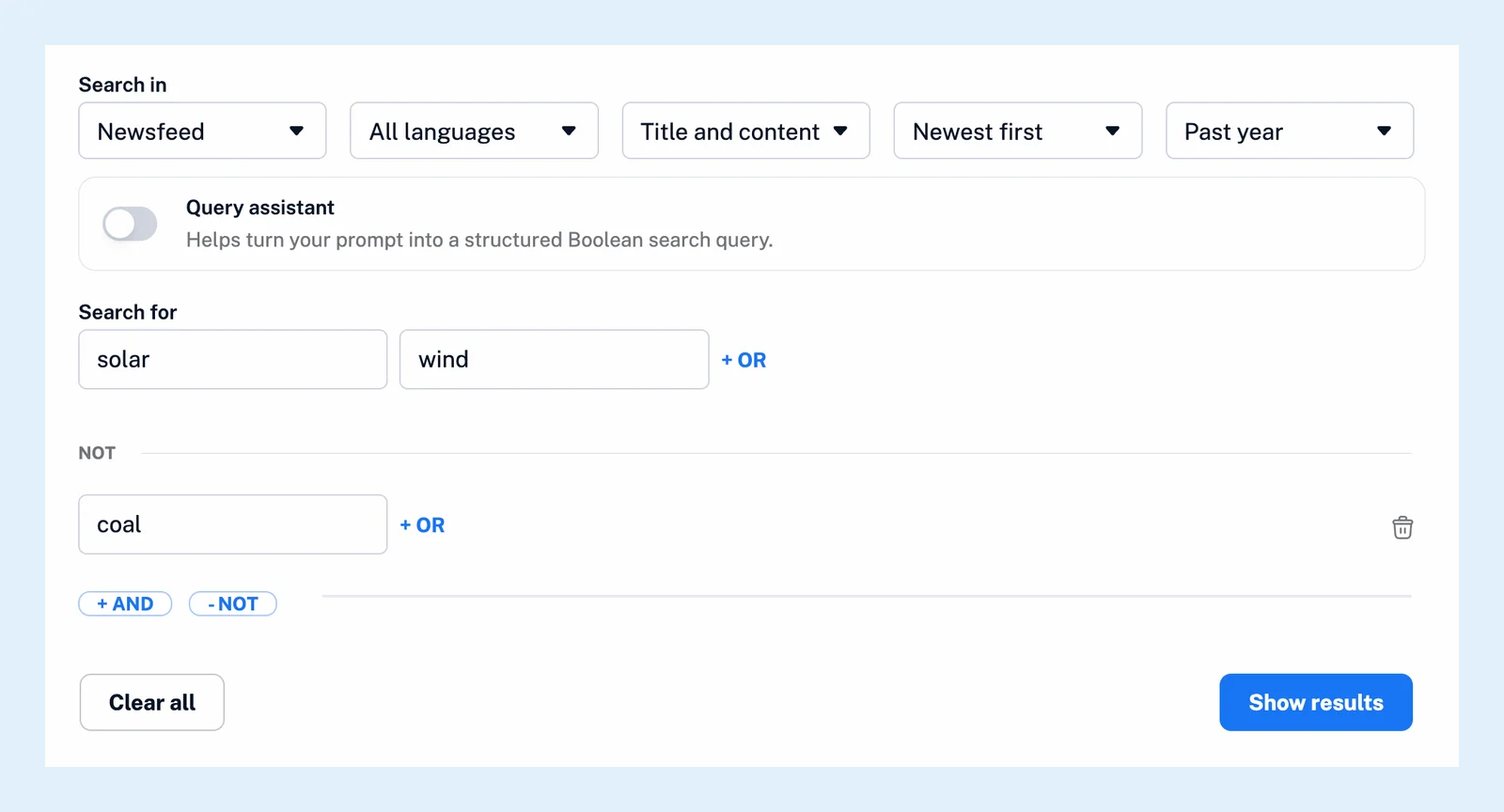
The builder quotes phrases for you and groups each row in parentheses. Clear all starts over. A query typed by hand that the builder can't take apart stays in a text box, where you can still edit it. The blog post Making complex searches easy with our new query builder introduces the builder.
Describe the search instead
Switch on Query assistant in the builder, describe what you're looking for and click Generate search. The assistant turns your description into a Boolean query with groups of synonyms, which you can edit before you run it.
Save the query as a monitoring feed
Once the query runs, click Create monitoring feed next to the result count to turn it into a monitoring feed. New articles that match it then arrive in your account as they're published. Monitoring feeds are a Pro feature, with 30 included in Pro.
Can't find an answer? Contact support