Can I export my subscriptions and content?
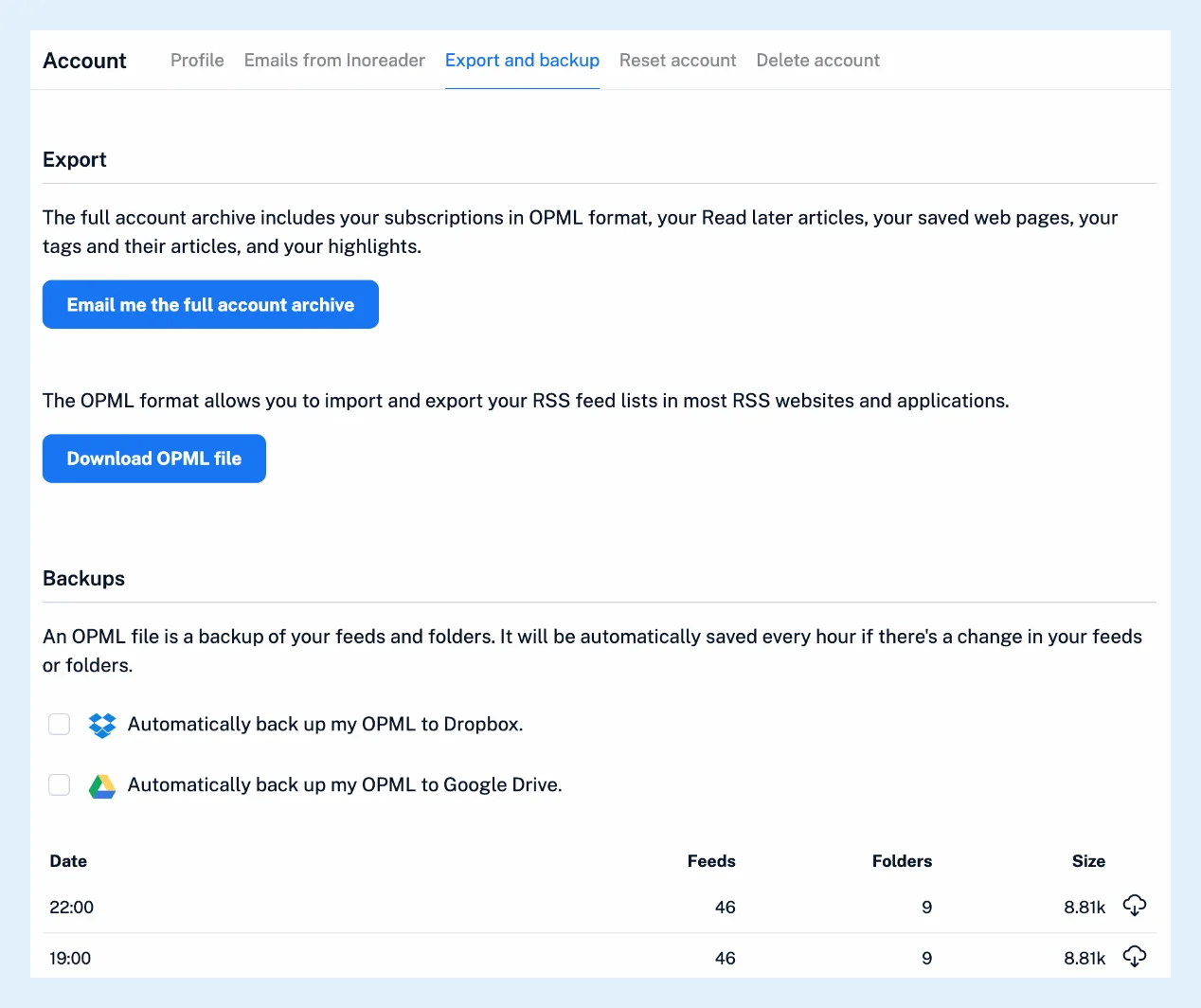
Yes. Under Preferences > Account > Export and backup, Download OPML file saves your feeds and folders for any other reader, and Email me the full account archive sends you a zip with your subscriptions, Read later articles, saved web pages, tags with their articles, and highlights and notes. With Pro, Inoreader also backs up your OPML hourly and can copy it to Dropbox or Google Drive.
Download the OPML file
- Open Preferences (the gear at the bottom of the tab bar), then Account > Export and backup.
- Click Download OPML file.
The file keeps your manual sidebar order and includes switched-off feeds. Only RSS and JSON feeds go into it (newsletter, web and social feeds are left out), and Team folders keep the Team folder's name. What is OPML used for? explains the format, Can I import feeds from another RSS reader? the import.
Request the full archive
- On the same tab, click Email me the full account archive.
- Open the email "Your Inoreader archive is ready" and download the zip within 7 days, after which the file is deleted.
The zip holds the OPML as subscriptions.xml, Read later articles, saved web pages, emailed articles, uploaded documents and reports, one file per tag with its articles, highlights and notes with their articles, and a README with the counts.
Most readers only need subscriptions.xml: if a reader rejects the zip, extract that file and upload it on its own.
Back up your OPML automatically
- On the same tab, tick Automatically back up my OPML to Dropbox. or Automatically back up my OPML to Google Drive.
- Download any backup from the table of Date, Feeds, Folders and Size.
A backup is saved every hour in which your feeds or folders changed, and the 10 newest are kept.
Export in other ways
Output feeds and HTML clips publish a folder or a tag as a feed or on your site, Export to CSV and Save as PDF work on selected articles with Multiple select, and highlights can go to Readwise, all Pro. A single article can be saved to Evernote, OneNote, Raindrop.io, Instapaper, Google Drive, Dropbox or Readwise on every plan.
Plans and limits
The OPML download and the full account archive work on every plan. Automatic OPML backups, output feeds, HTML clips, CSV export and bulk PDF are Pro. The other Account tabs are in Where can I manage my account settings?.
Can't find an answer? Contact support